Every module.
Every next step.
57 features across 14 areas of one connected workspace, each shown exactly as your team will use it.
Your business, at a glance.
Open the workspace and the numbers that decide your day are already there, no report to run first.
- Executive dashboardPipeline value, customers, win rate and receivables, each one click from the records behind it.
- Your next movesA short daily list of what needs attention: leads to qualify, payments to chase, tickets waiting.
- Branch and territory switchScope the whole workspace to one location or see the organization end to end.
- Find a pageGrouped navigation with a quick filter, so a large workspace never feels large.
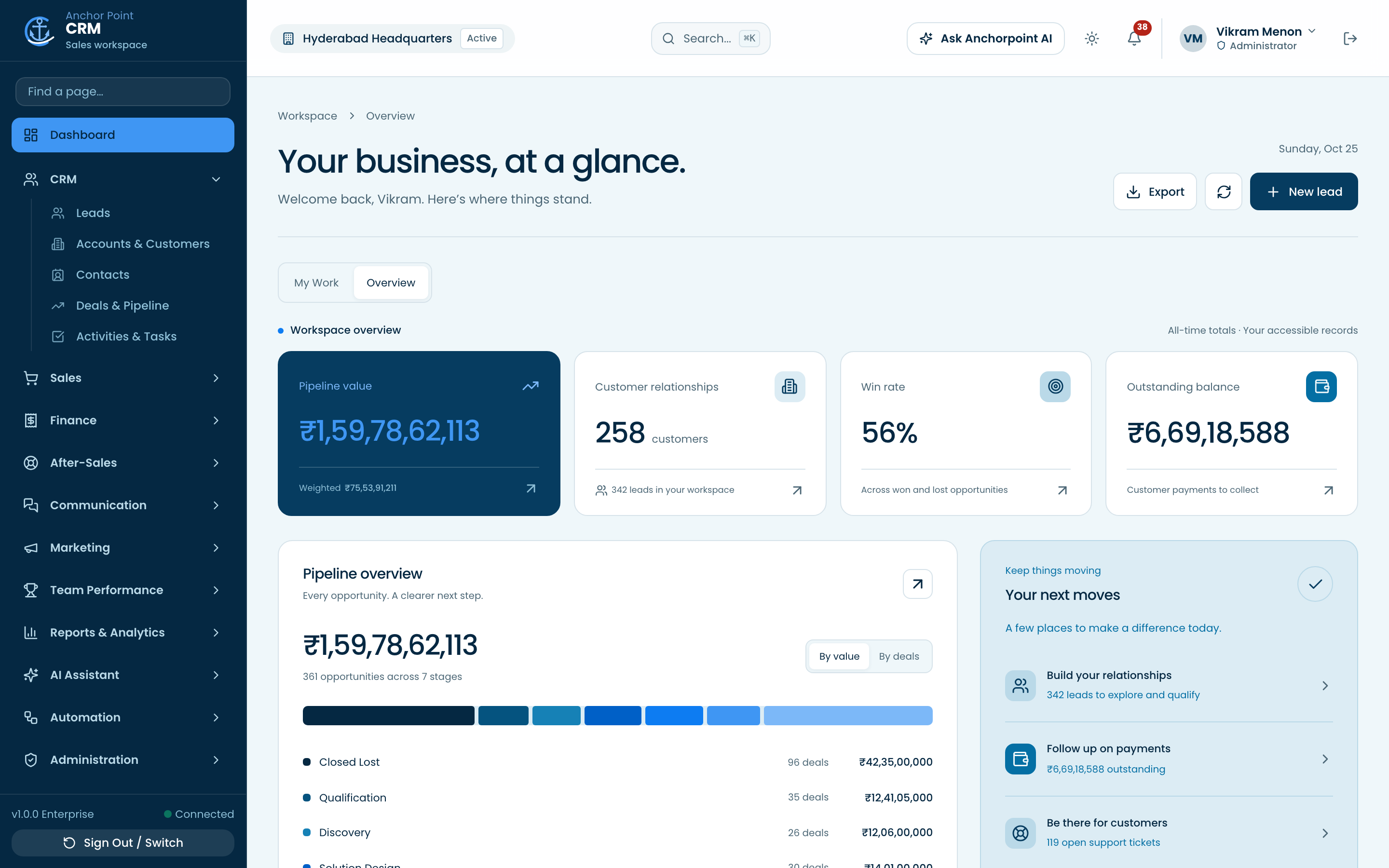
Every lead, from every source.
Forms, campaigns, chat and your website feed one queue, scored and assigned before anyone has to ask who owns it.
- Leads managementCapture, qualify, score and convert, with the full activity trail on each lead.
- Duplicate protectionThe same email or phone cannot become two leads, even when two people submit at once.
- Assignment rulesTerritory and round-robin rules route new leads, and the creator keeps sight of what they entered.
- Campaigns and web formsTrack where leads arrive from and publish forms that write straight into the CRM.
- Saved viewsShared, named filters such as territory queues, hot leads or untouched for 14 days.
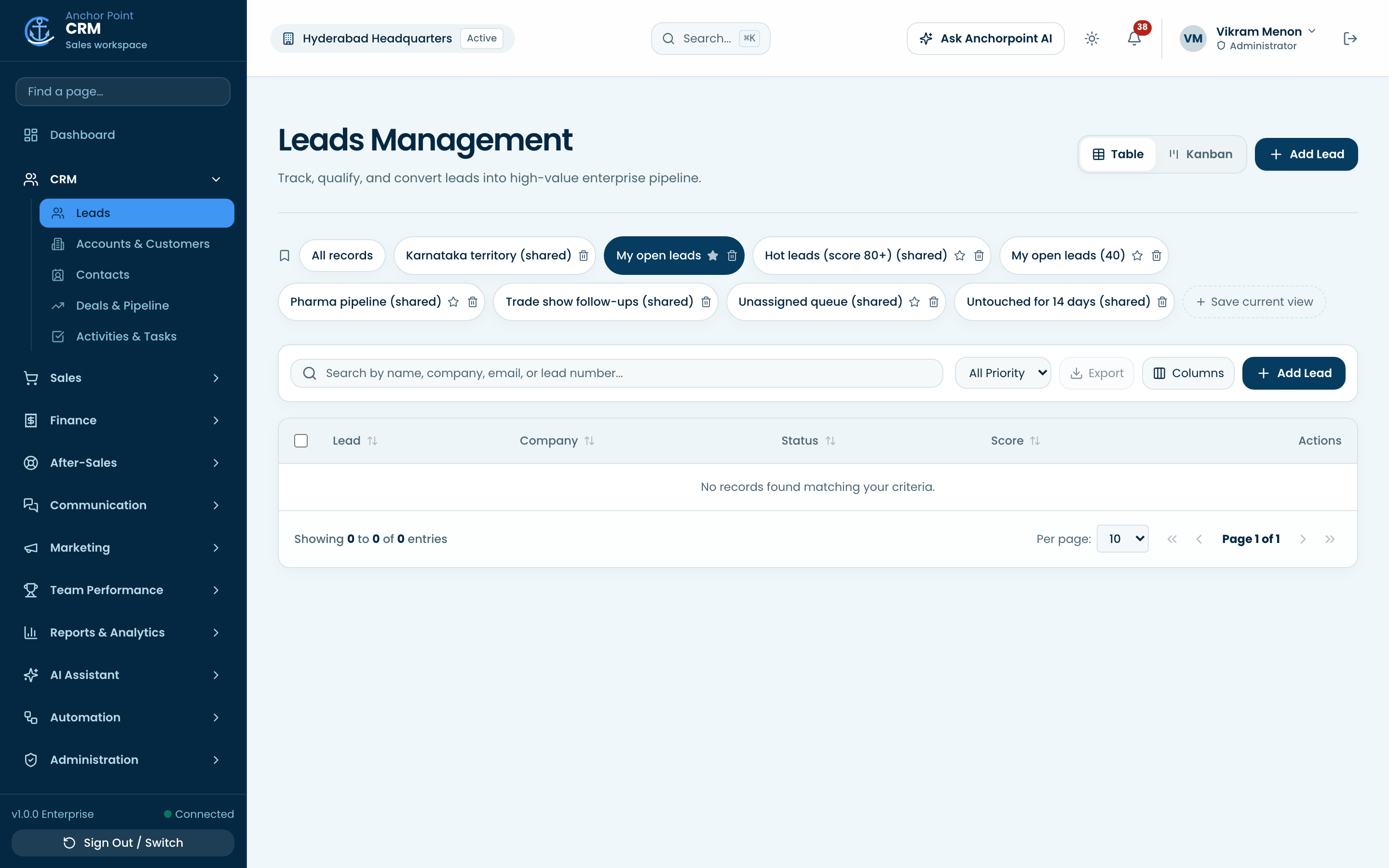
The whole customer, on one page.
Accounts carry their contacts, deals, documents, invoices and support history together.
- Accounts and customersCompany records with account numbers, hierarchy and parent and subsidiary structure.
- 360 degree customer viewDeals, quotations, invoices, tickets, assets and renewals on a single timeline.
- Contacts and consentContact records with per-channel marketing consent captured and auditable.
- Org chartMap who reports to whom at each account, right on the contacts tab.
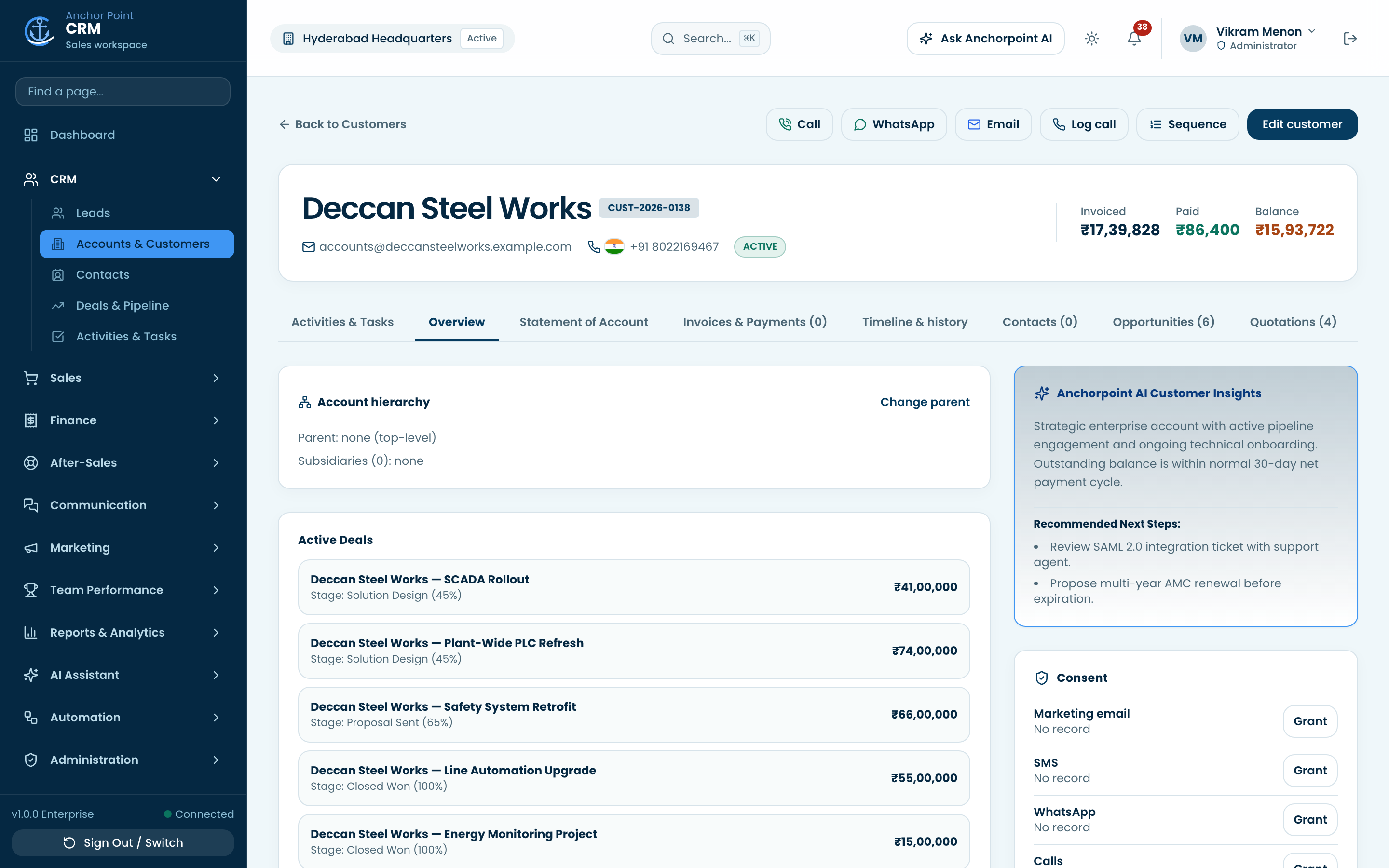
A board that matches how you sell.
Stages, probabilities and inactivity rules you configure, on a board or a table, whichever your team reads faster.
- Deals and pipelineDrag deals through your own stages, with weighted value and win rate per stage.
- Inactivity alertsDeals with no outreach are flagged on the card before the quarter ends.
- Keyboard friendly boardEvery card has its own Open and Move controls, so the board works without a mouse.
- Competitors and playbooksRecord who you are up against and the plays that beat them.
The next step never lives in someone's head.
Calls, meetings, tasks and email sit on the record, so the next person to open it knows exactly where things stand.
- Activities and tasksCalls, meetings, notes and to-dos linked to the lead, deal or customer.
- Calendar, mailbox and bookingConnect Google or Microsoft and share a booking link that writes back to the CRM.
- Email templates and sequencesReusable templates with merge fields, and multi-step outreach with sending caps.
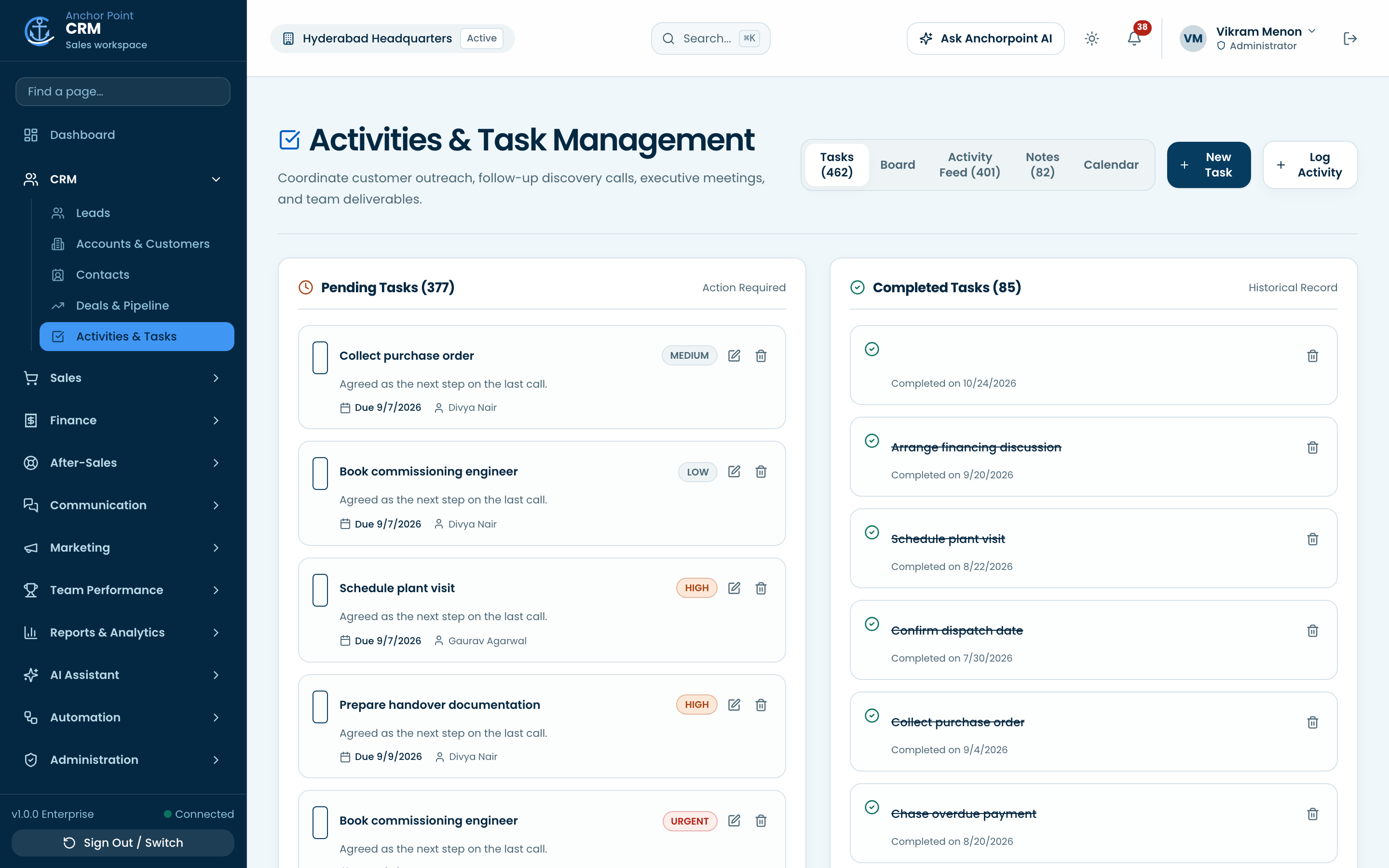
Every conversation, kept with the customer.
Log calls with their recordings, reply on WhatsApp and answer live chat without leaving the record you are on.
- Calls and recordingsLog a call in seconds and attach the MP3 or WAV recording, played back with the same access rules as the record.
- WhatsAppConversations and approved templates alongside the lead or customer they belong to.
- Live chat inboxAnswer the website chat widget from inside the CRM.
- Website visitorsSee which known companies are reading your pricing and product pages.
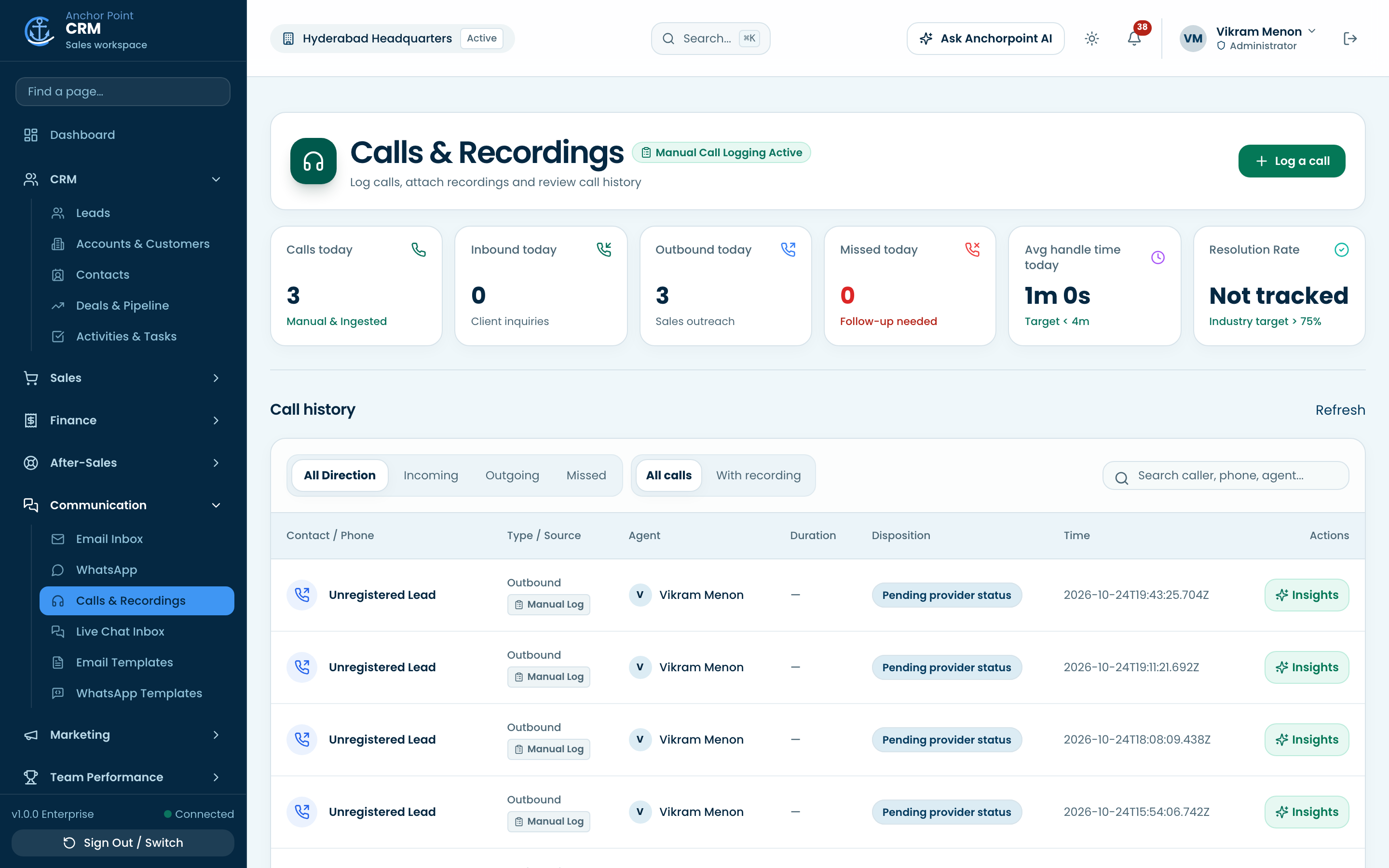
Proposal to purchase order.
Price books, quotations, approvals and orders in one path, so nothing is retyped into a spreadsheet on the way.
- Products and pricingCatalogue with price lists, tiers, tax treatment and the units you actually sell in.
- Quotations and approvalsBuild a quote, send it for approval and keep every version.
- Sales ordersConvert an accepted quote to an order and follow it to fulfilment.
- Document templatesYour own layout for the quote and order PDFs that leave the building.
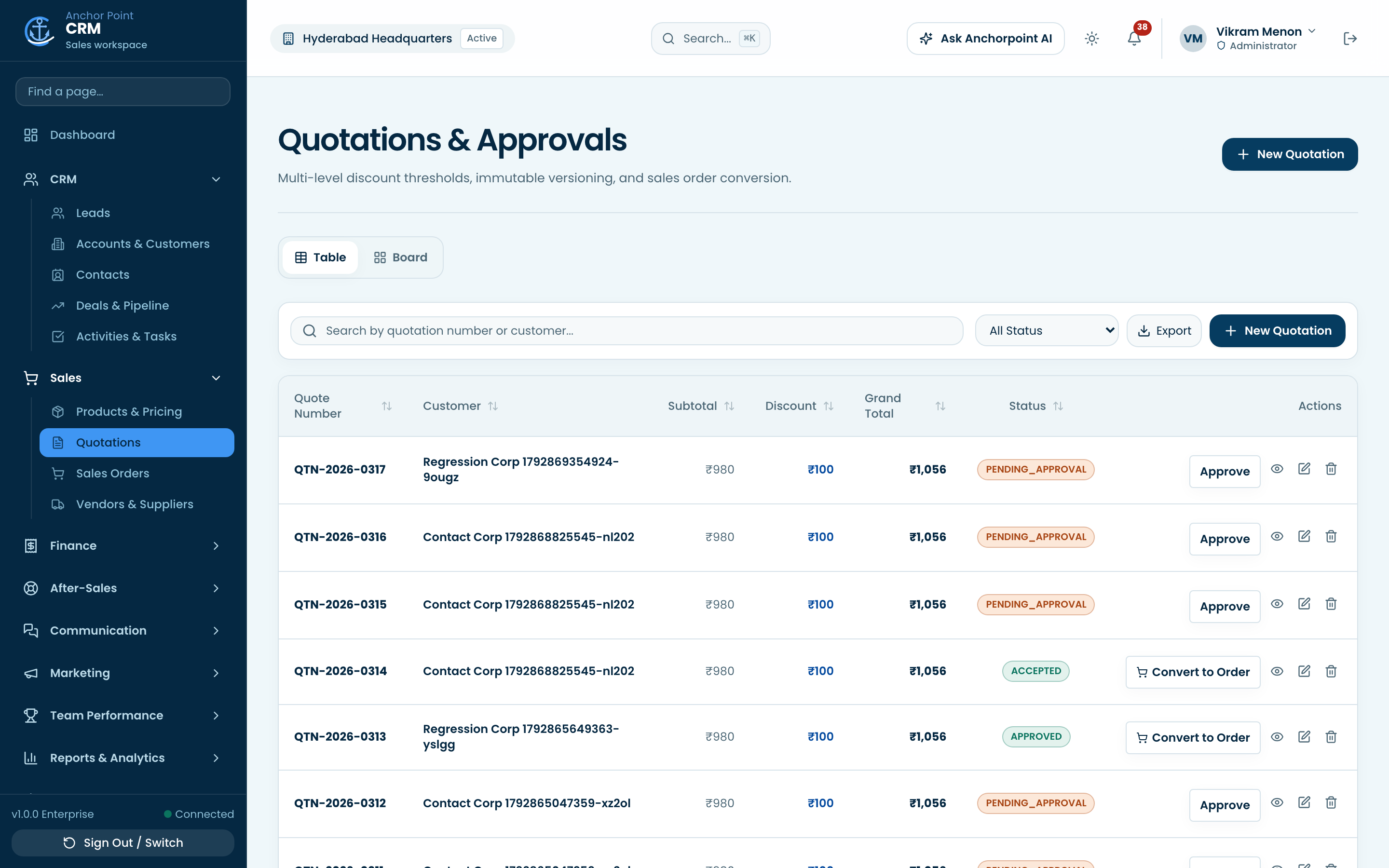
Know what is owed, and for how long.
Invoices, part payments and aging buckets stay attached to the customer relationship that produced them.
- Invoices and agingAging from current to 90 plus days, with payments, credit notes and refunds against each invoice.
- Safe payment recordingSimultaneous payments can never over-allocate an invoice.
- Recurring and AMCSubscription and annual maintenance billing that raises the next invoice on time.
- Statements and e-invoicingCustomer statements, plus IRN entry for the tax regimes that require it.
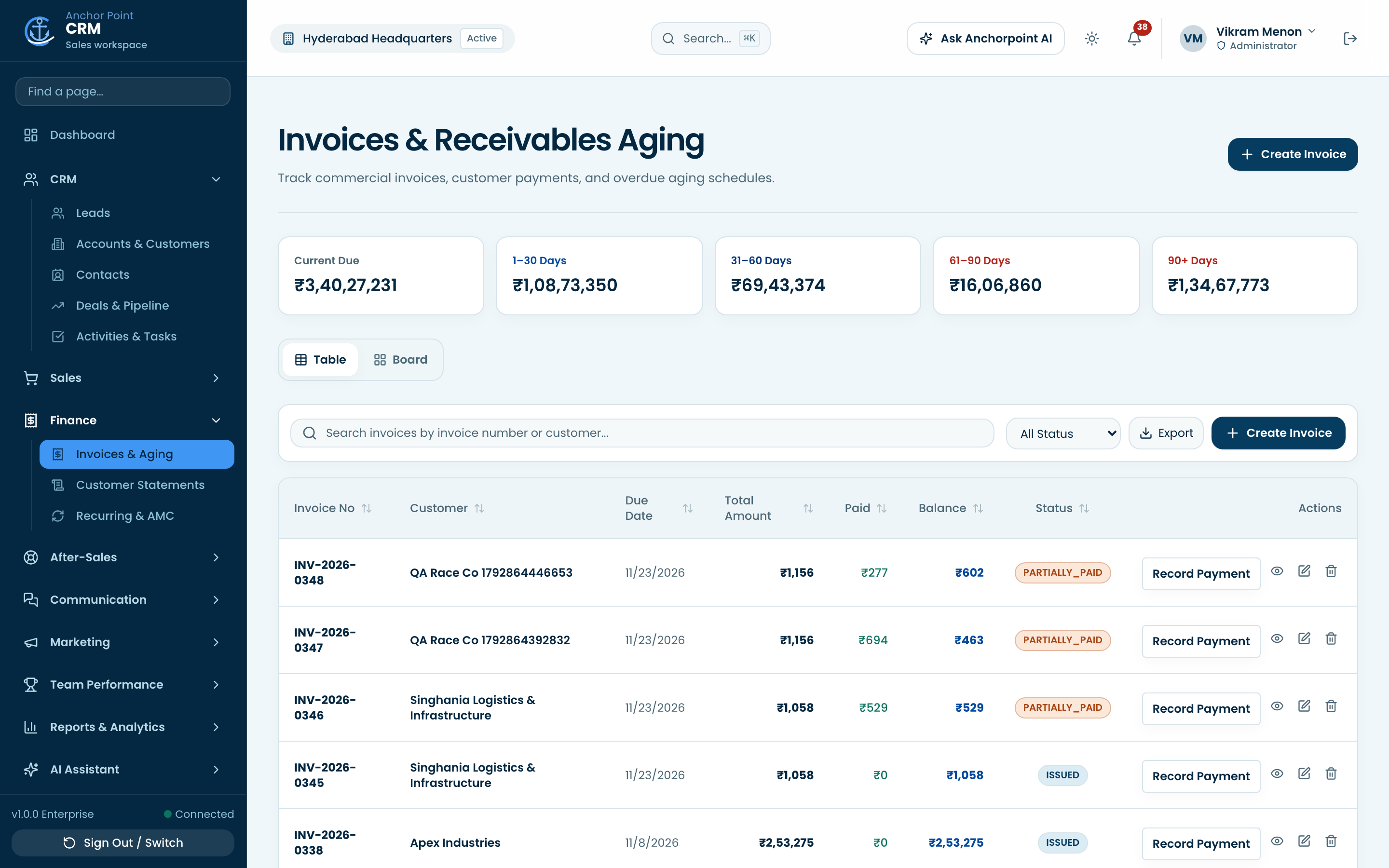
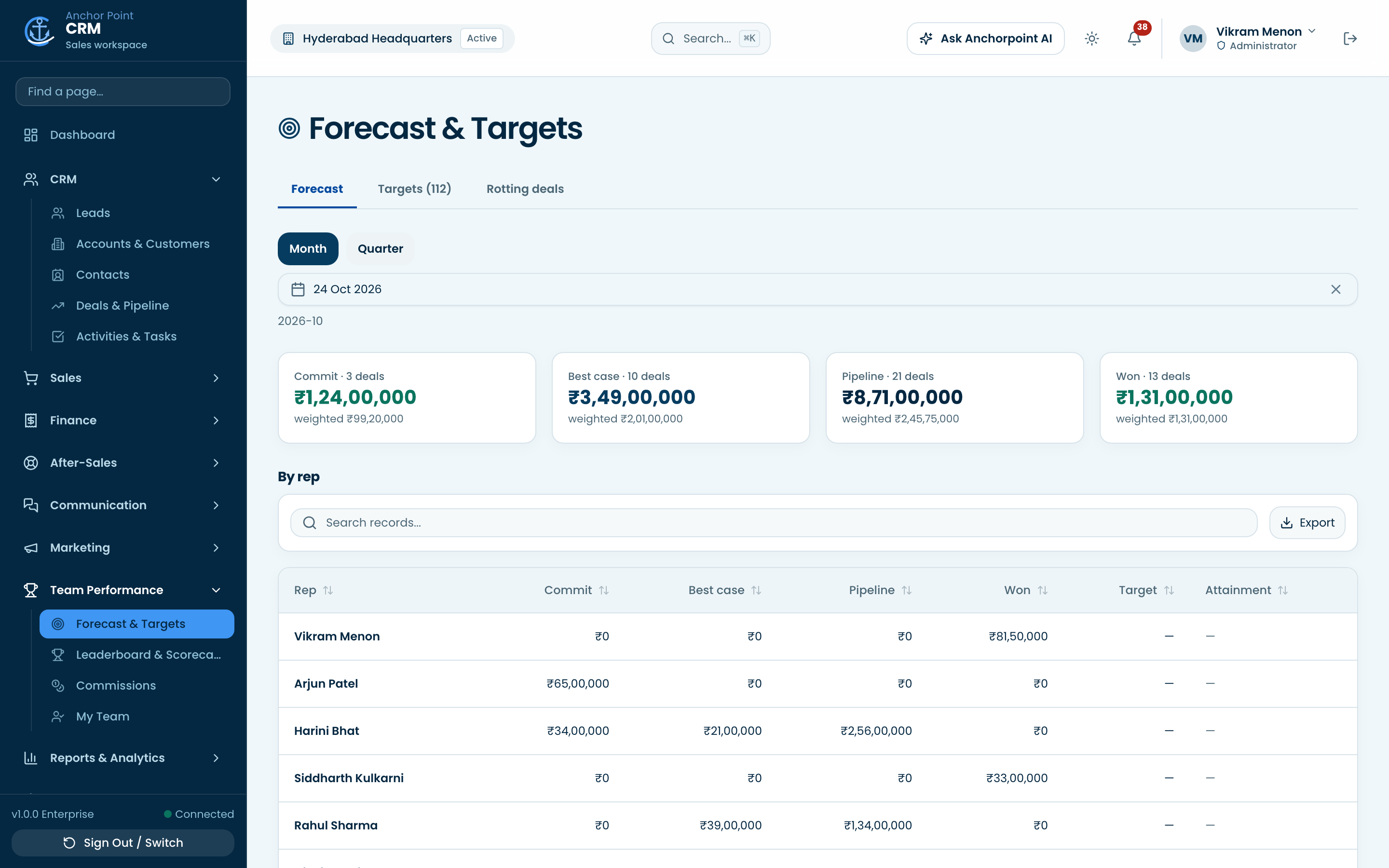
The number, and who is carrying it.
Commit, best case and closed by rep, against the targets you set, visible to the team and not just the manager.
- Forecast and targetsCommit and best case roll-ups by period, weighted against quota.
- Leaderboard and scorecardsAttainment per rep, so coaching starts from the same numbers.
- CommissionsCommission calculated from closed business on your own plan rules.
Answer the question yourself.
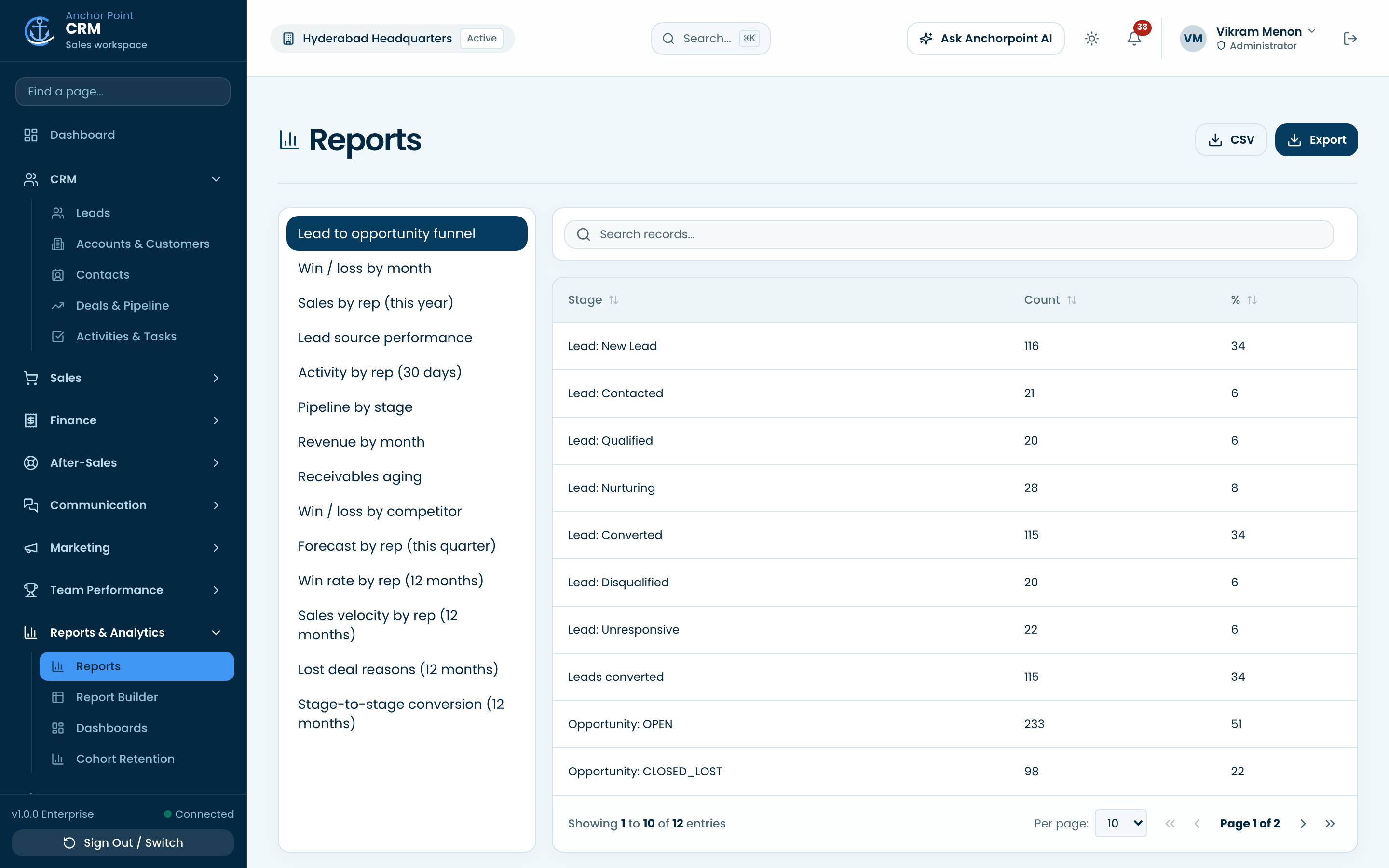
Prebuilt reports for the usual asks, and a builder for the one nobody anticipated.
- ReportsThe standard sales, pipeline and receivables reports, ready to run.
- Report builderPick the fields, filters and grouping, save it, share it.
- Dashboards and cohortsYour own tiles per team, plus cohort retention over time.
- Import and exportBring records in from a spreadsheet, take any view back out as Excel or PDF.
An assistant that can see the record.
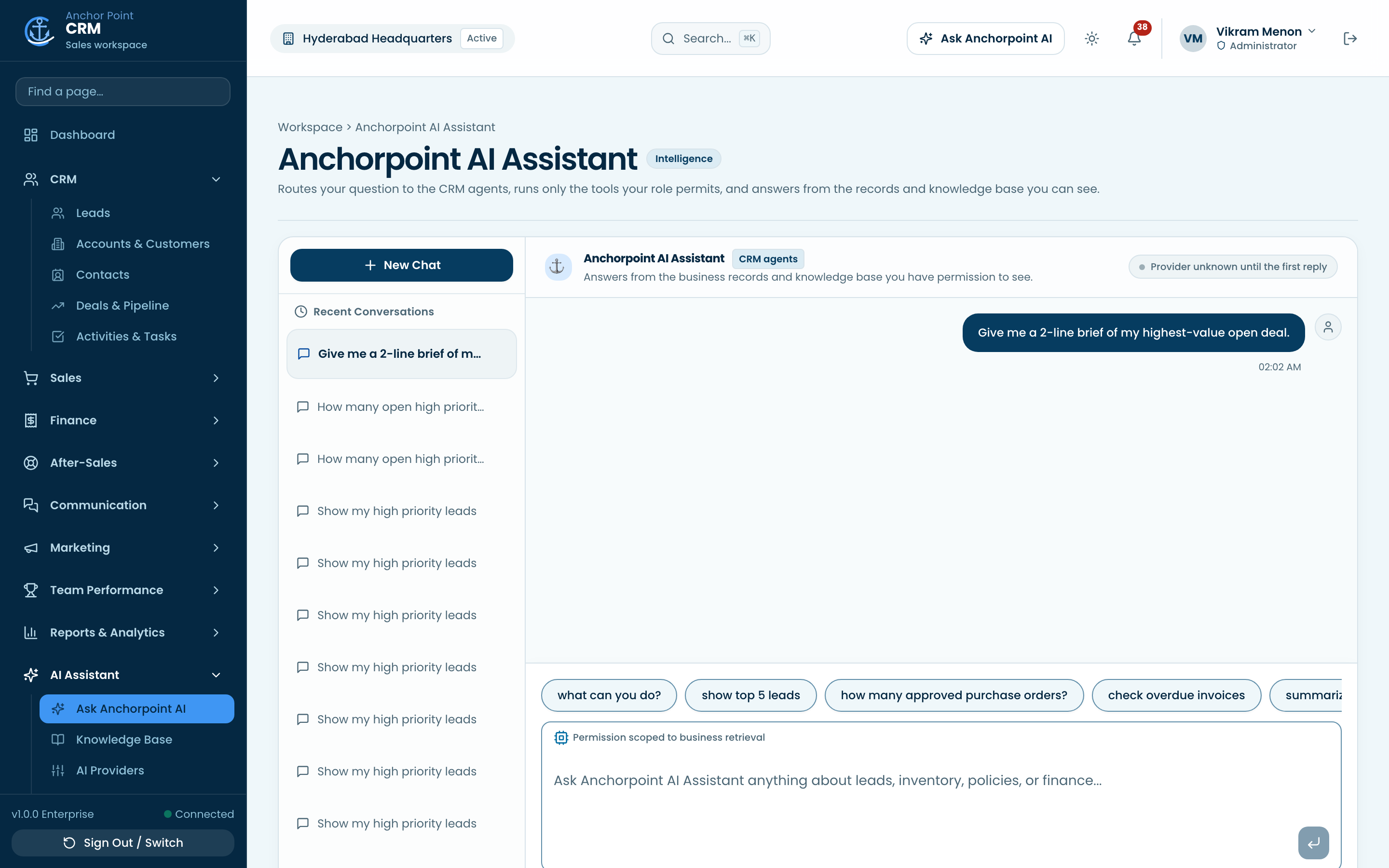
Ask in plain language and get answers grounded in your data and your knowledge base, with every call's cost on the record.
- AI assistantAsk about a record or the whole pipeline, in a full chat or beside the record you are reading.
- Knowledge baseYour documents indexed for search, so answers cite what your company actually wrote.
- Drafts and briefsFollow-up emails, call prep briefs and deal summaries written from the record.
- Approval before actionHigh-risk actions such as closing a deal always wait for a person to confirm.
- Providers and budgetsBring your own model provider key, encrypted at rest, with daily spend limits.
The rules your process already has.
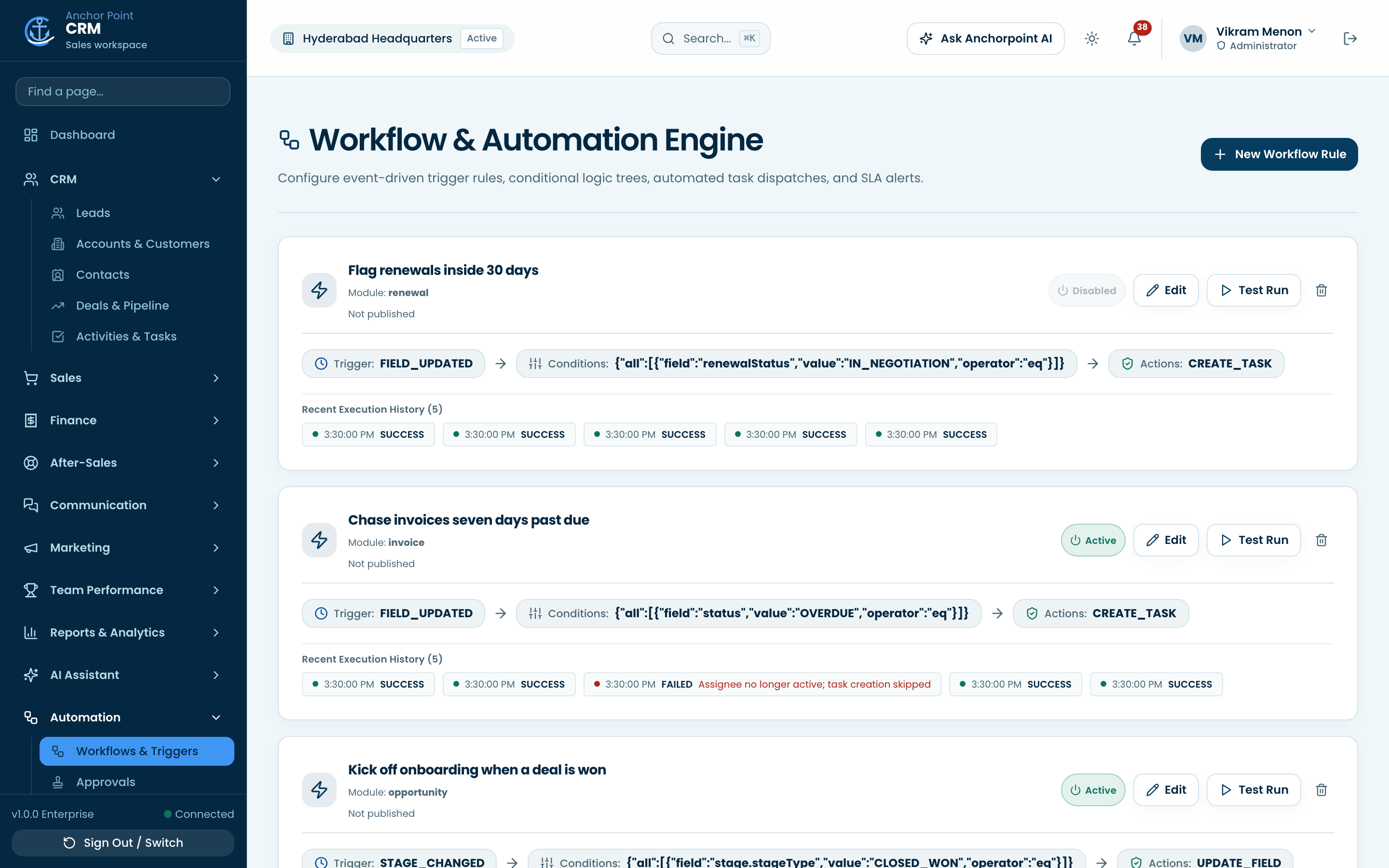
Write the handoffs and approvals down once, and let the workspace enforce them instead of a reminder culture.
- Workflows and triggersRun actions when a record changes: assign, notify, update, escalate.
- ApprovalsRoute a discount or a document to the person whose sign-off it needs.
- Custom fields and formsAdd the fields your industry needs, validated on every save.
- Outbound webhooksPush events to the rest of your stack, signed and retried.
The deal is just the beginning.
Onboarding, support, assets and renewals stay on the same customer record the deal was won on.
- Customer onboardingOnboarding plans with the steps each new customer has to clear.
- Support tickets and SLAQueues, priorities and SLA clocks, with the customer's history in reach.
- Assets and renewalsWhat the customer owns and when it comes up for renewal.
- Service visits and feedbackSchedule field visits and collect feedback where the relationship lives.
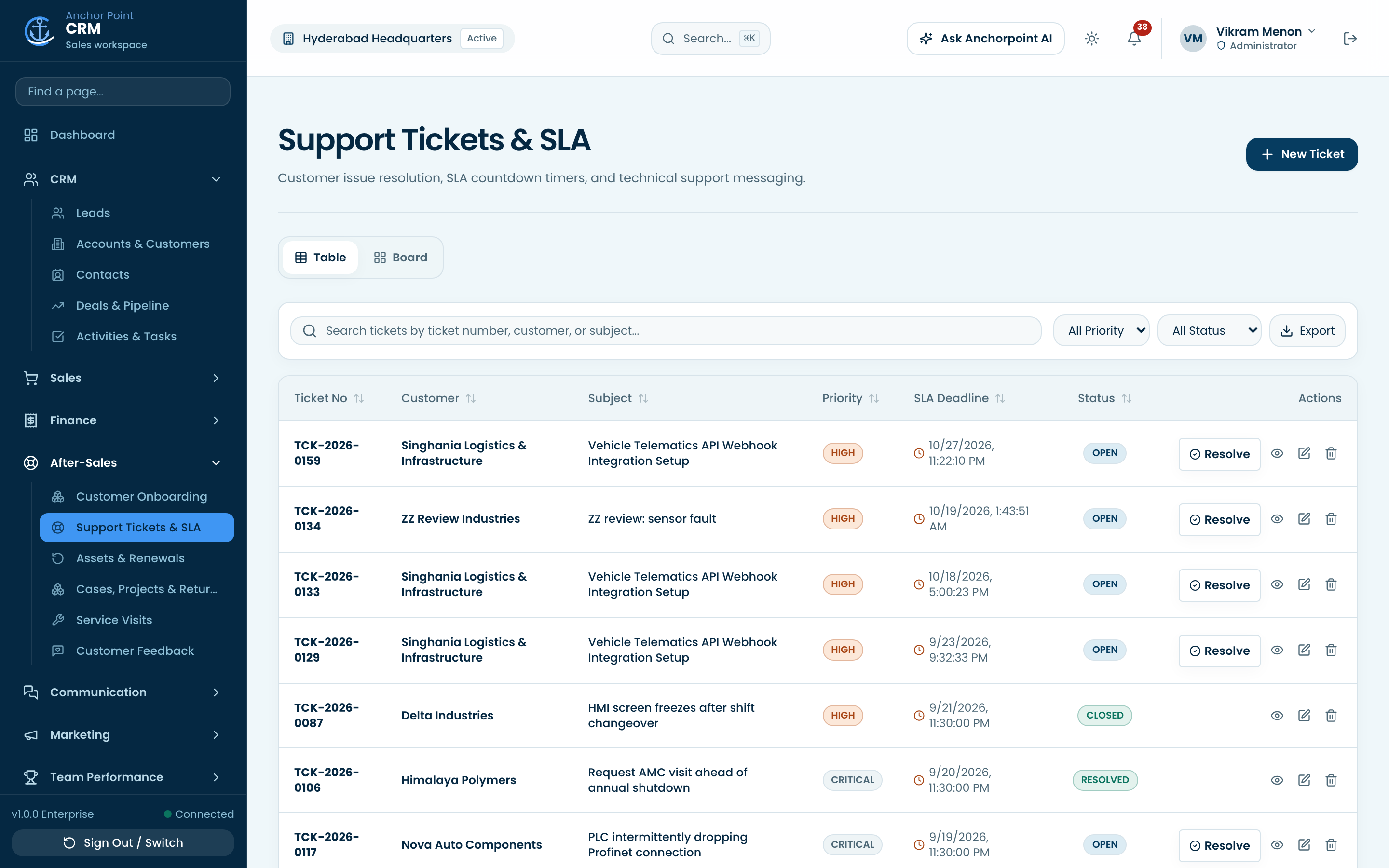
Who can see what, on the record.
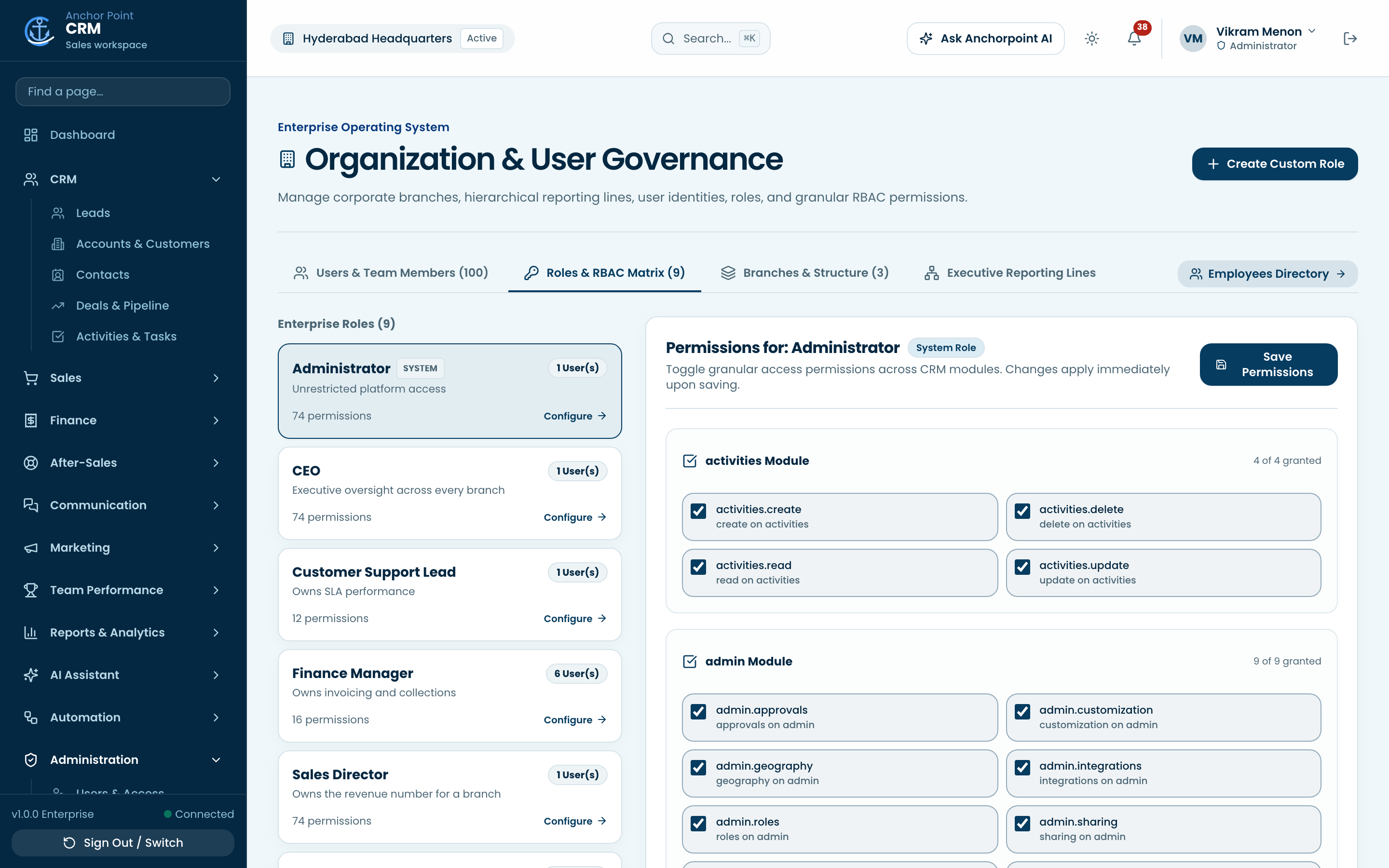
Record-level scoping, sharing and an audit trail, the controls a team of any size eventually needs.
- Users and accessInvite people, set their data scope, deactivate them without losing their history.
- Roles and permissionsGranular permissions per role, from organization-wide down to own records.
- Record sharingShare a single record with a person, team or role, read-only or editable.
- Security and two-factorTOTP two-factor, session revocation and a policy that can require it.
- Audit logs and recycle binWho changed what and when, and deleted records stay recoverable.
Not sure where to start?
Most teams begin with leads and pipeline, then bring quoting, invoicing and after-sales onto the same record.
Find your team's starting point